
How to Set Up CRM for a Private Clinic: A Practical Guide

Understanding why your clinic needs a CRM is one thing. Setting it up so it actually works is another.
This is the practical companion to our piece on CRM for private clinics and dental practices. Where that article covers the strategic case, this one goes deeper into implementation — the decisions that determine whether your CRM becomes the commercial engine of your patient acquisition, or an expensive contact list that nobody fully trusts.
Everything here draws on insight from Vera Loftis, founder of Solution Junkies, a specialist Salesforce consultancy whose healthcare clients range from solo practitioners to large hospital group.
Start with the end, not the platform
The most common mistake clinics make when implementing a CRM isn’t choosing the wrong software. It’s starting with the software at all.
“In the first 30 days, I would take a massive step back,” Vera says. “Evaluate what you want out of a CRM, the purpose behind collecting this data, what reporting you need at the end of it — and then work out what integrations that requires. Be conscious that it’s probably going to involve more than just the CRM platform itself.”
Before you log into a trial account or book a demo, get clear on three things:
- What does a converted lead look like for your clinic? (A booked consultation? A confirmed procedure?)
- Which decisions do you need data to make? (Which marketing channels are working? Which clinicians have capacity? Where are leads dropping off?)
- Who will use the system, and what does success look like for them specifically?
The answers to those questions should drive every configuration decision that follows.
Fields that earn their place on a clinic contact form:
Treatment or specialty of interest — dropdown, not free text. Maps directly to routing rules and clinician availability.
How soon are you looking to be seen? — This week / Within a month / Just researching. Separates urgent enquiries from early-stage browsers immediately.
Self-pay or insured? — Affects workflow, pricing conversations, and which admin path the lead follows.
Have you been seen privately before? — Helps set expectations and identifies patients who may need more education about the process.
How did you hear about us? — Essential for marketing attribution, even as a basic dropdown.
Five fields. That’s enough to route the lead to the right person, flag it as high or low priority, and begin attributing it to the right marketing channel — all before anyone picks up the phone.
Building a pipeline that people will actually use
Pipeline design is where a lot of clinic CRMs quietly fall apart. Too many stages, creative terminology that new starters can’t interpret, and no shared definition of what “conversion” actually means — all of these erode the reliability of your reporting over time.
Vera’s recommendation is to keep it simple and use language that’s self-explanatory.
“The purpose of a lead stage is qualification — not closing a deal. You’re just trying to understand: is there a timeline? Is there a budget? Keep those lead stages crisp, clean, and use non-invented language. Open, Contacted, Qualified, Converted. It can be as simple as that.”
More importantly, every stage needs a clear definition that everyone in the practice agrees on. What does “Contacted” mean — that someone sent an email, or that they had a live conversation? What does “Qualified” mean — that the patient has confirmed they want a consultation, or that they’ve confirmed they’re self-pay?
“Where it gets dangerous is when people have interpreted their own definition of what is a lead versus what should constitute pipeline. Some people will hold a lead much longer than others, which sandbags the pipeline. Others will convert straight away because they don’t want to fill in the lead fields. Having consistency across your organisation in terms of those definitions — and critically when it converts — means your reporting will hold water.”
For most clinics, a clean pipeline looks something like this:
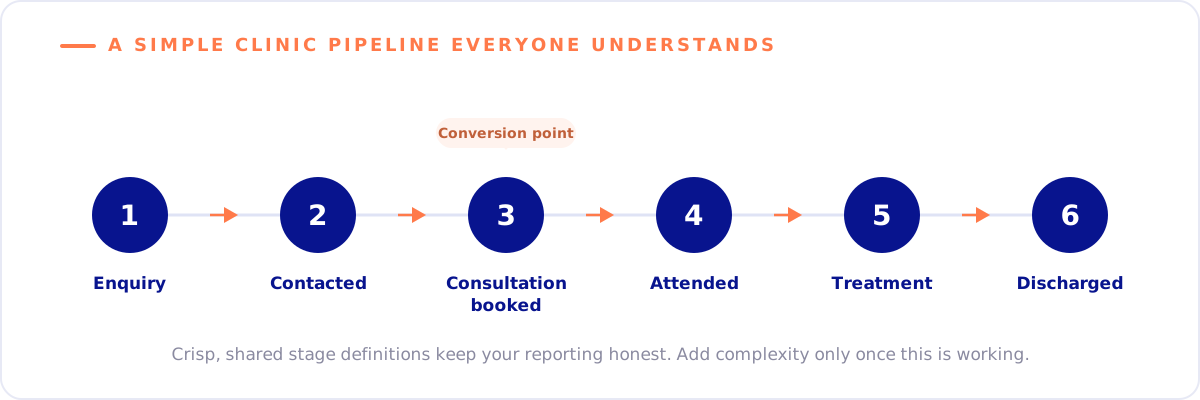
You can add complexity later. Start with what’s true and what everyone understands.

Speed to lead: the SLA every clinic should have
Once your form is capturing structured data and your pipeline is defined, the next question is: how quickly are you responding?
The data on this is unambiguous. Response time is one of the single biggest drivers of lead conversion across service industries — and healthcare is no exception. The longer a lead sits uncontacted, the lower the probability of it converting.
“Make sure that lead is getting in the hands of somebody who’s going to follow up as quickly as possible,” Vera says. “A lead will come in through an automated function, get put into a bucket, and this bucket sits there because it’s not sitting with an individual. No one’s told people to go get things from the bucket.”
The fix has two components. First, routing: every new enquiry should land in a named person’s queue the moment it arrives, not in a shared inbox or a generic notifications feed. Second, a fallback SLA: if that person hasn’t moved the lead within a defined window, it automatically routes to someone else.
“We designed one for a customer where they had a group of inside salespeople. Based on the lead that came in and the location, it went to a particular individual. But if they hadn’t picked it up and moved it to ‘working’ within six hours, it would route to someone else. There’s some process in place to make sure leads just don’t stagnate.”
Six hours is Vera’s working benchmark. For urgent or high-value enquiries — a patient flagging they want to be seen this week for a surgical consultation — you might want that window tighter.

The automations worth having in month one
With your forms, pipeline, and routing in place, you’re ready to think about automation. Vera’s advice here is deliberately restrained.
“Beware of automations — especially notifications. People moving from a paper-based process get really excited about all the things you can automate. Then all of a sudden as an end user you’re getting ten emails a day and you end up not paying attention to any of them.”
The automations worth prioritising in the first month are functional, not clever:
1. Web form to CRM lead — automatically
Every submission on your website should create a CRM record instantly, with source data attached. This sounds obvious but a surprising number of clinics still have forms that fire an email to a shared inbox instead. “Whatever somebody fills out on your website should automatically come through as a lead. It means you’re capturing all your data consistently in one place.”
2. Lead routing with SLA fallback
As described above — new lead lands in a named queue, auto-reroutes if not picked up within your defined window.
3. Immediate acknowledgement to the patient
An automated response confirming receipt of their enquiry, setting expectations on response time, and giving them a clear next step. Not a nurture sequence — just a simple, human acknowledgement that removes uncertainty. “If you can get a person in front of them, absolutely do it. But automation is a powerful fallback.”
Everything else — nurture sequences, re-engagement flows, cross-sell triggers — can come later, once the fundamentals are working reliably.
Getting staff to actually use it
The best-designed CRM in the world is worthless if your admin team, secretaries, and clinical staff treat it as optional.
Vera’s diagnosis of why adoption fails is consistent across every organisation she works with: “Training should be 80% why and 20% how. It’s all about what to click — and very little about why they’re doing it.”
When a receptionist understands that the source field they fill in on every new enquiry is what allows the clinic to measure whether the Google Ads budget is working, they fill it in correctly. When they just know they’re supposed to fill in a field, they pick the first option in the dropdown.
“When people really understand what the data is going to be used for, how it impacts the customer, how it impacts reporting — everything that you’re asking somebody to fill in should have a purpose behind it. When you’re clear about that purpose, people are more inclined to follow the process.”
Two practical things that support adoption:
Make the system easier than the workaround. If receptionists are using a spreadsheet alongside the CRM because the CRM is slower for a particular task, fix the CRM — don’t rely on discipline. “If people don’t find value in an activity, they’re probably just going to bypass it.”
Build in a feedback mechanism from day one. “The first few weeks are learning weeks. Be not only willing to change the process if you get feedback that it’s not working — be geared up to do that.” Staff who see their feedback acted on become advocates. Staff who raise issues and see nothing change go back to their old habits.
What good looks like at 90 days
By 90 days post-launch, a well-implemented clinic CRM should be showing early, measurable signals even before full revenue attribution is possible.
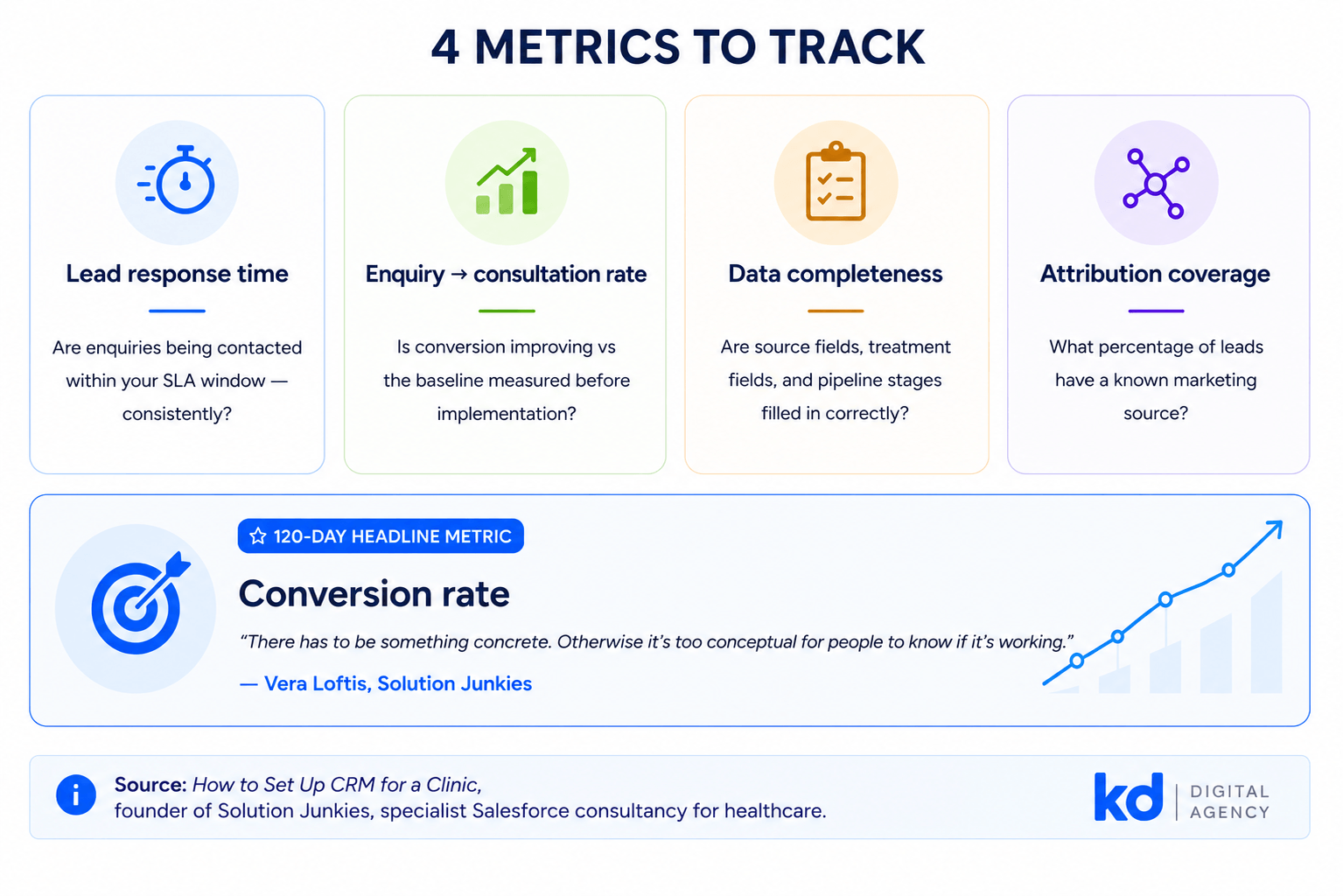
Vera identifies the indicators to look for: “Week two, week three, week four — are these numbers going up in the way we expected? Are the benchmarks we set being met?” Those early benchmarks might include:
- Lead response time — are enquiries being contacted within your SLA window consistently?
- Conversion rate from enquiry to consultation — is this improving versus the baseline you measured before implementation?
- Data completeness — are source fields, treatment fields, and pipeline stages being populated correctly, or are there gaps that suggest adoption problems?
- Attribution coverage — what percentage of your leads have a known source? If it’s below 80%, there’s a tracking or process gap to fix.
At 120 days, Vera’s recommended headline metric for a growth-stage clinic is simple: conversion rate. “There has to be something concrete. Otherwise it’s too conceptual for people to know if it’s working.”
Need help getting this right for your clinic?
CRM implementation for private clinics and dental practices sits at the intersection of marketing strategy, operational design, and technical integration. Getting any one of those three things wrong tends to undermine the others.
Our healthcare CRM and patient journey optimisation service is built around exactly this challenge — helping clinics design the full patient acquisition journey so that marketing spend connects reliably to booked patients and measurable revenue.
If you’re starting from scratch, reviewing a setup that isn’t performing, or trying to build proper attribution into your marketing reporting, that’s where to start.
With thanks to Vera Loftis, founder of Solution Junkies, a specialist Salesforce consultancy working with healthcare organisations from independent practices to large hospital groups.